
Qflow MCP server
Connect Qflow to Claude, ChatGPT and other AI agents over the Model Context Protocol — manage events, guests, team and tallies in natural language.
Qflow runs a hosted Model Context Protocol (MCP) server, so AI agents like Claude and ChatGPT can work with your events directly — creating events, managing guest lists, assigning team members and reading live figures, all in natural language and with your permission.
It's the same Qflow account and data as the dashboard and the REST API — just reached conversationally.
What you can do
- Read your events, guests, team and tallies — including fast counts, breakdowns and facets over the attendee search index.
- Write — create and update events and guests (single or up to 200 in bulk), add tags and tallies, and assign or unassign team members.
- Everything runs against your account, scoped by OAuth — the agent only ever sees what you've authorised.
Connect
The Qflow MCP server endpoint and OAuth — add it to Claude, ChatGPT or any MCP client.
The Qflow MCP server is hosted and OAuth-secured. Point your MCP client at the endpoint and sign in with your Qflow account — there are no API keys to copy or store.
Endpoint
https://api.qflowhub.io/qflow-mcp/mcp
Transport is Streamable HTTP, implementing the MCP 2025-06-18 specification.
Authentication
Access is protected by OAuth 2.1 (Authorization Code + PKCE) via Qflow's identity server. On first connect your client is redirected to sign in and authorise access, then the token is refreshed automatically.
- Protected-resource metadata:
https://api.qflowhub.io/qflow-mcp/.well-known/oauth-protected-resource - Authorization server:
https://identity.qflowhub.io/core
Discovery is automatic — your client reads the protected-resource metadata, finds the authorization server, and runs the OAuth flow for you.
Add it to a client
ChatGPT — Qflow is in the public plugin directory. Follow the ChatGPT quick start; no URLs to copy.
Claude — add a custom connector pointing at the endpoint above; you'll be prompted to sign in with your Qflow account.
Other MCP clients — Qflow's identity server does not support dynamic client registration, so clients that rely on it (including Claude Code and Claude Desktop today) can't self-register. If you need a registered client for another tool, contact support@qflowhub.io with the client's redirect URI.
Quick start — ChatGPT
Install the Qflow plugin from the ChatGPT directory, sign in with your Qflow account, and start asking about your events in plain English.
Qflow is listed in the public ChatGPT plugin directory, so there's nothing to configure — find it, sign in, and ask. This walkthrough takes about two minutes.
You'll need a ChatGPT account and a Qflow account. If you don't have a Qflow account yet, sign up at qflowhub.io first.
- Find Qflow in the plugin directory —
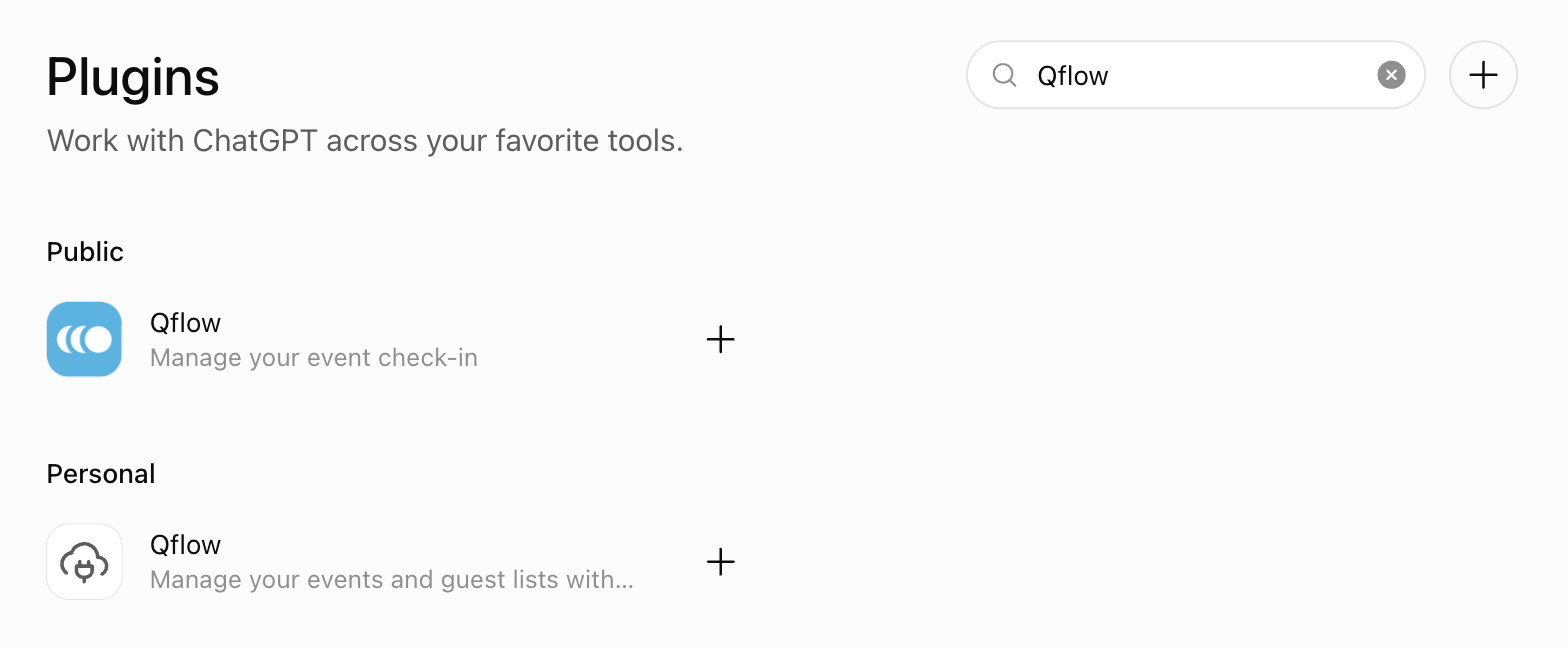
In ChatGPT, open Plugins from the left-hand rail (or go to chatgpt.com/plugins) and search for Qflow. Pick the entry under Public — that's the listing published by Wiretouch Ltd.
- Install the plugin —
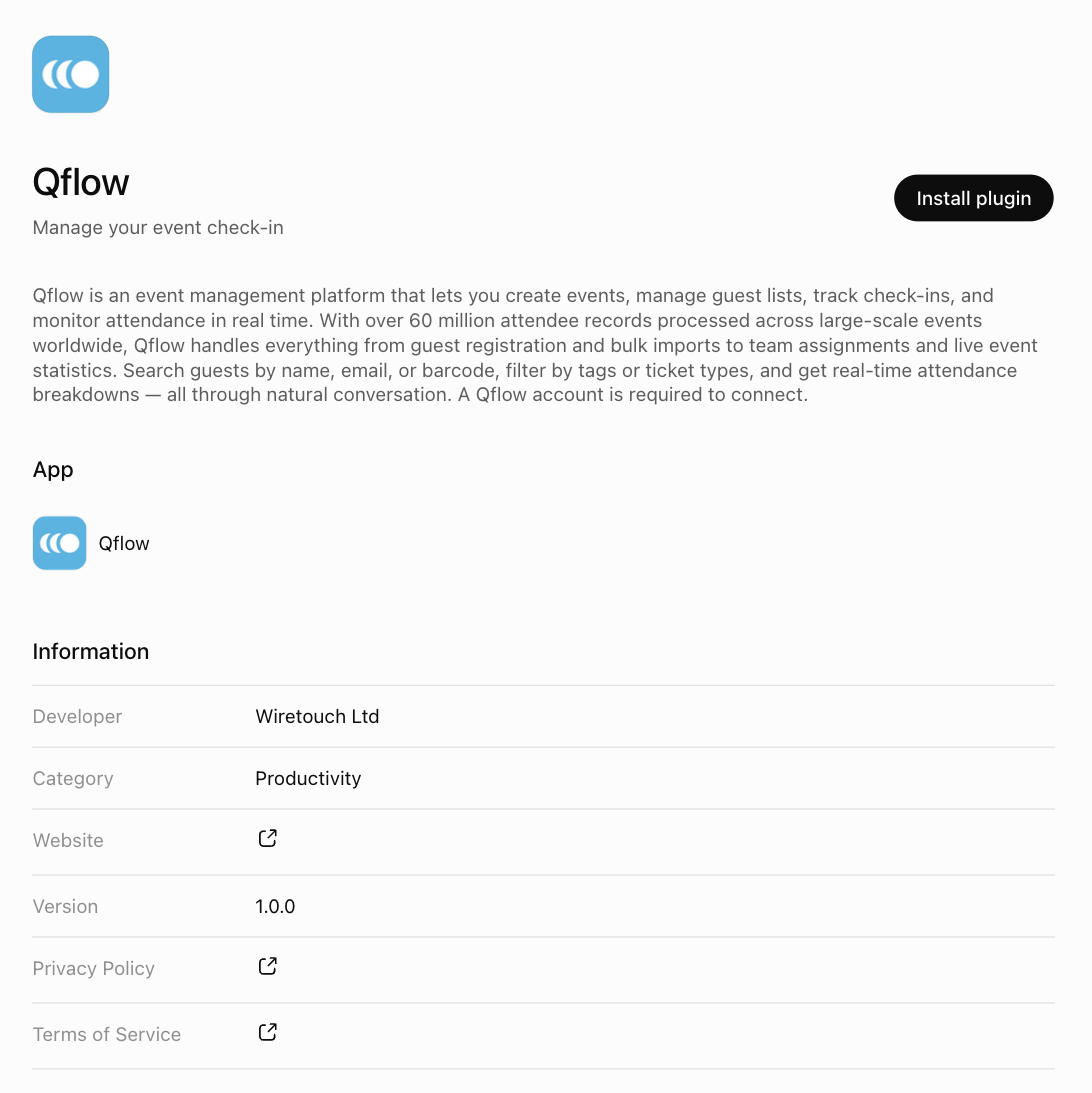
The listing page describes what the plugin can do and links to the privacy policy and terms. Click Install plugin.
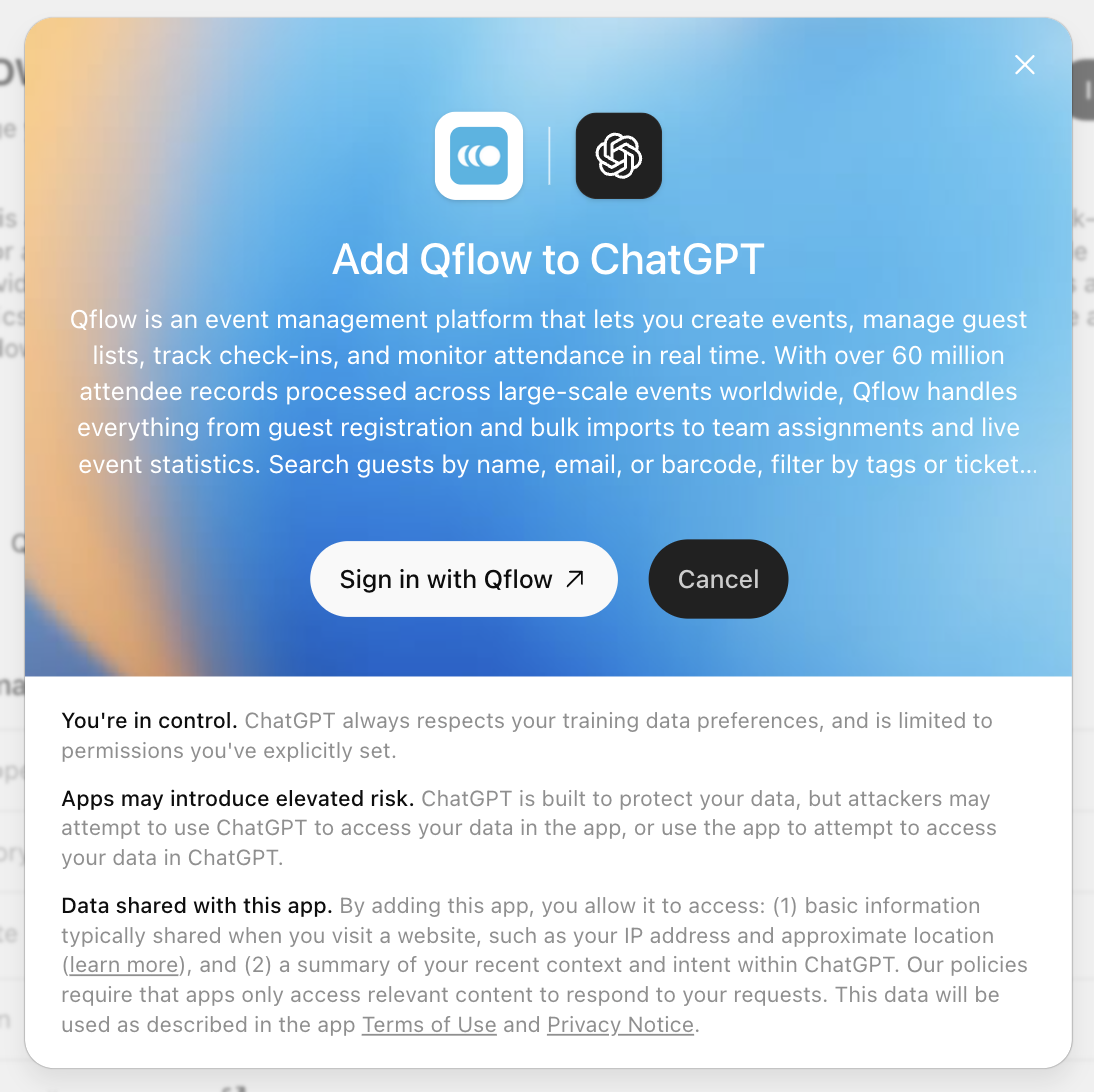
ChatGPT shows a summary of what it will share with Qflow. Click Sign in with Qflow to continue.
- Sign in with your Qflow account —
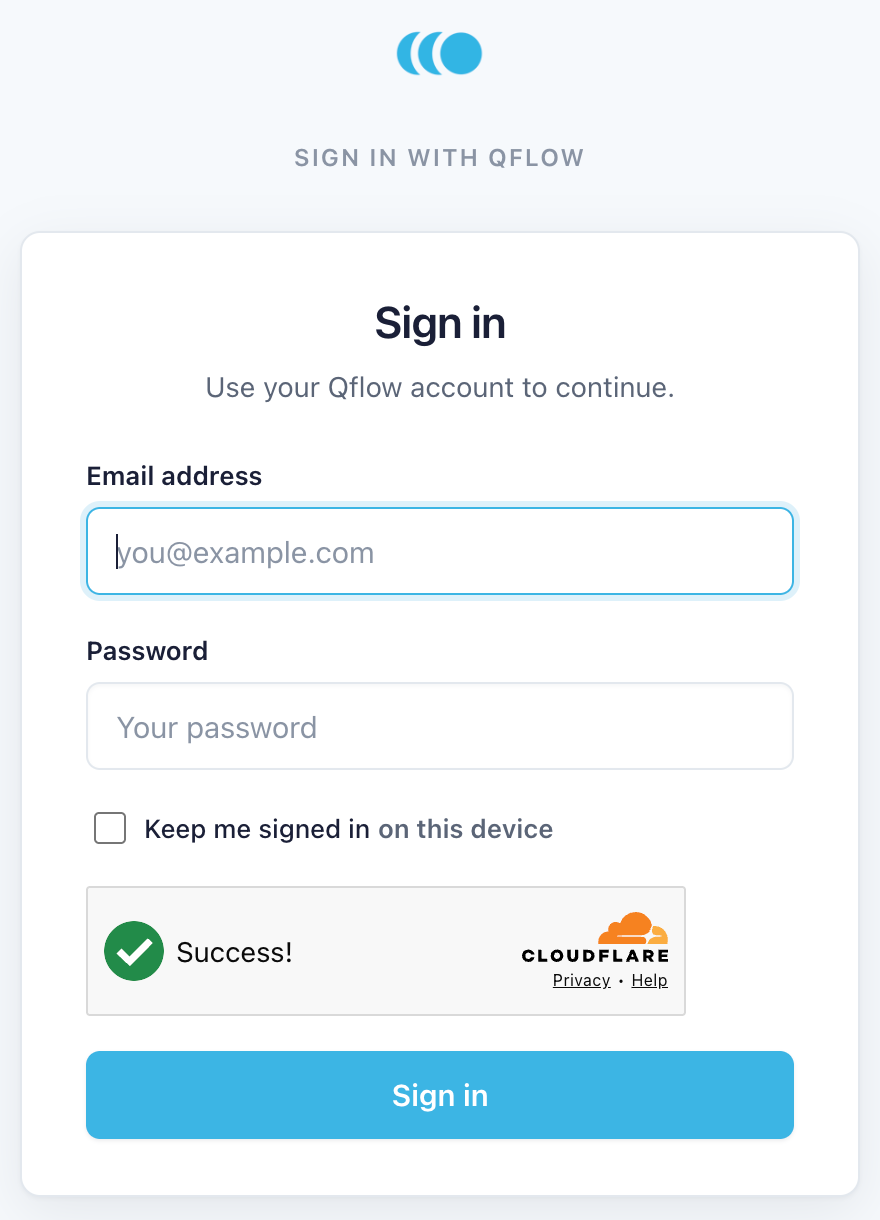
A Qflow sign-in window opens. Use the same email and password you use for the Qflow dashboard. Enterprise users sign in exactly as they do on the dashboard.
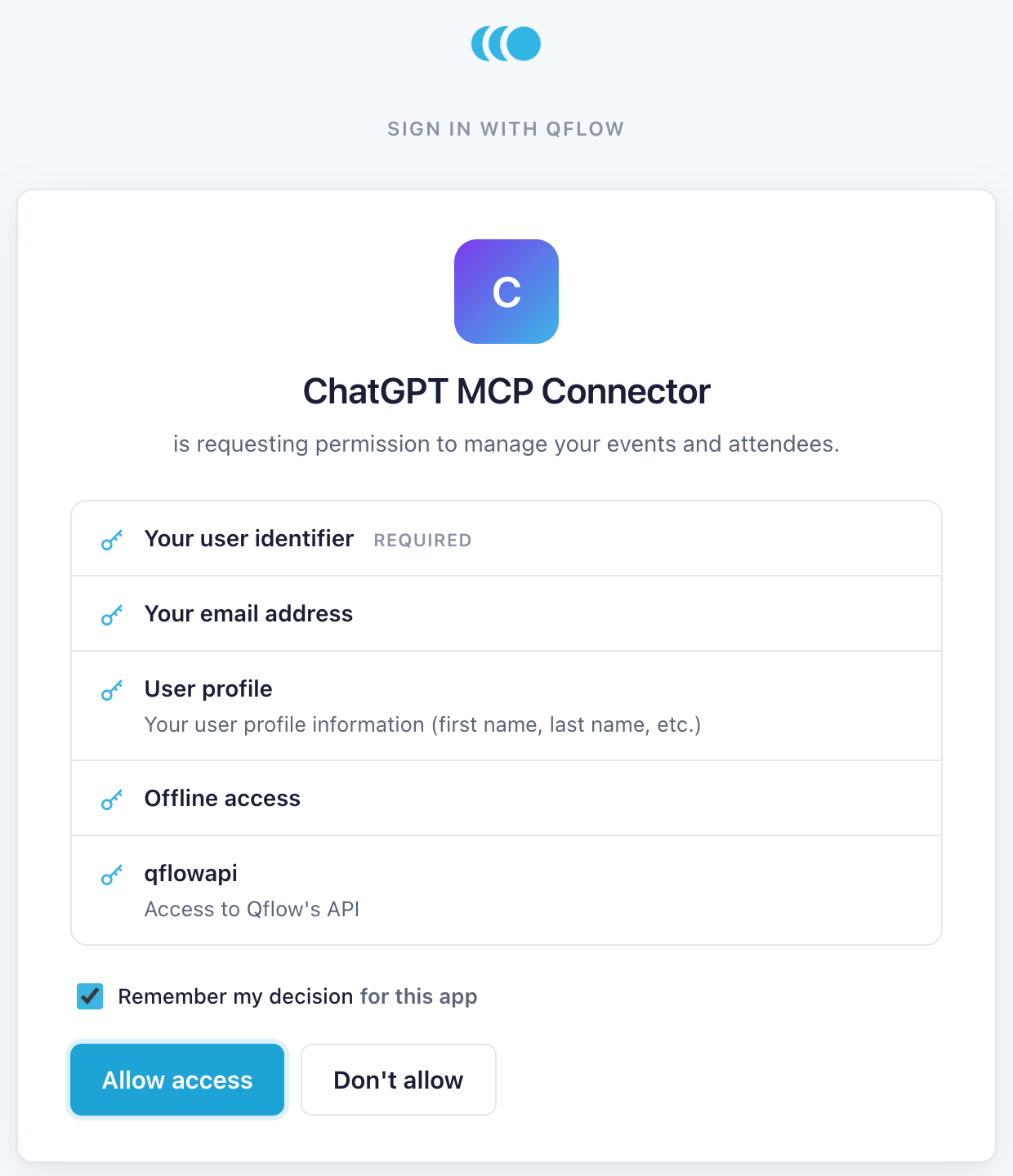
Qflow then asks you to confirm what ChatGPT may access: your user identifier and email, your profile, offline access (so you're not asked to sign in again every hour), and the Qflow API itself. Click Allow access.
- Start a chat —
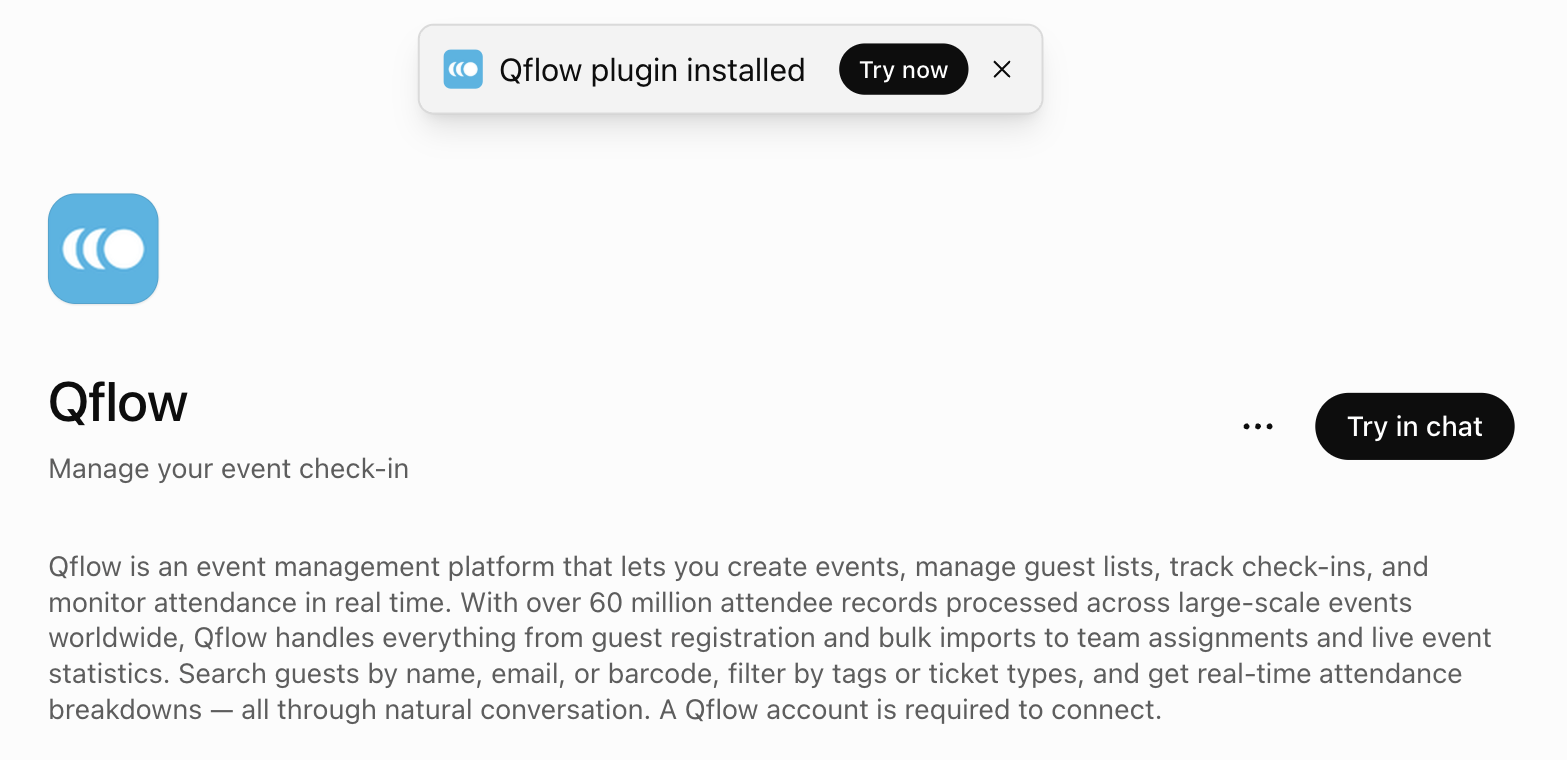
The window closes and ChatGPT confirms the plugin is installed. Click Try in chat (or Try now on the toast).
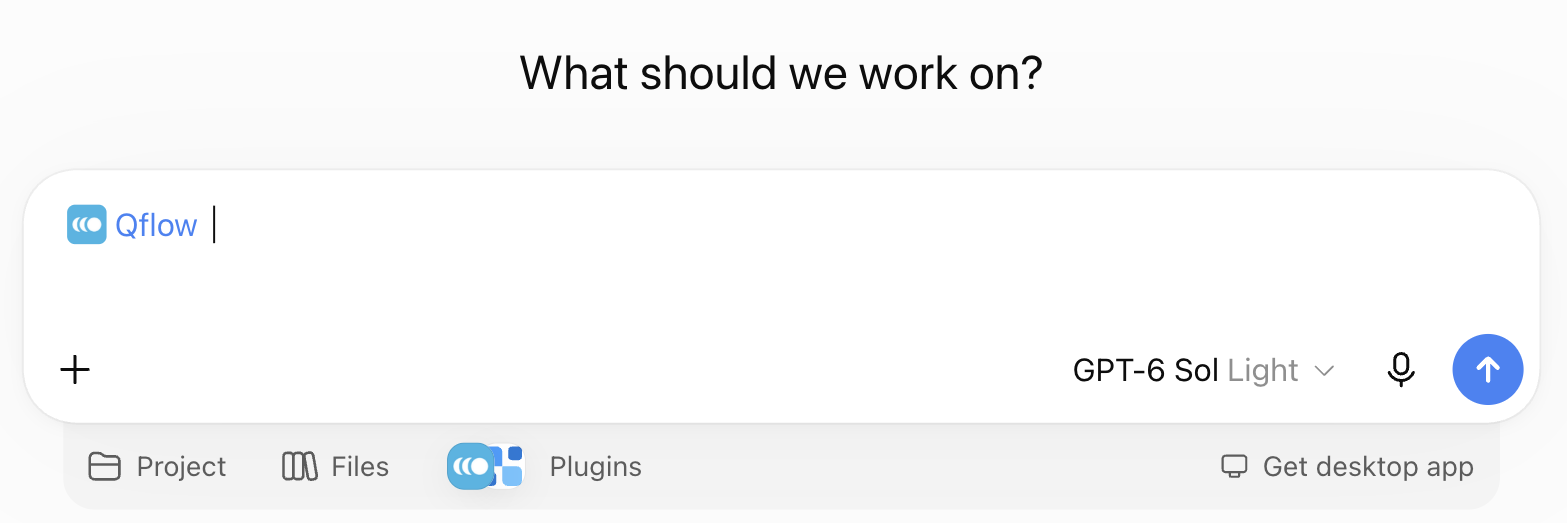
A new chat opens with Qflow already attached to the message box. In any later chat, pick Qflow from the Plugins menu under the message box to attach it again.
Things to try
Every question runs against your own account and only the events you can see on the dashboard.
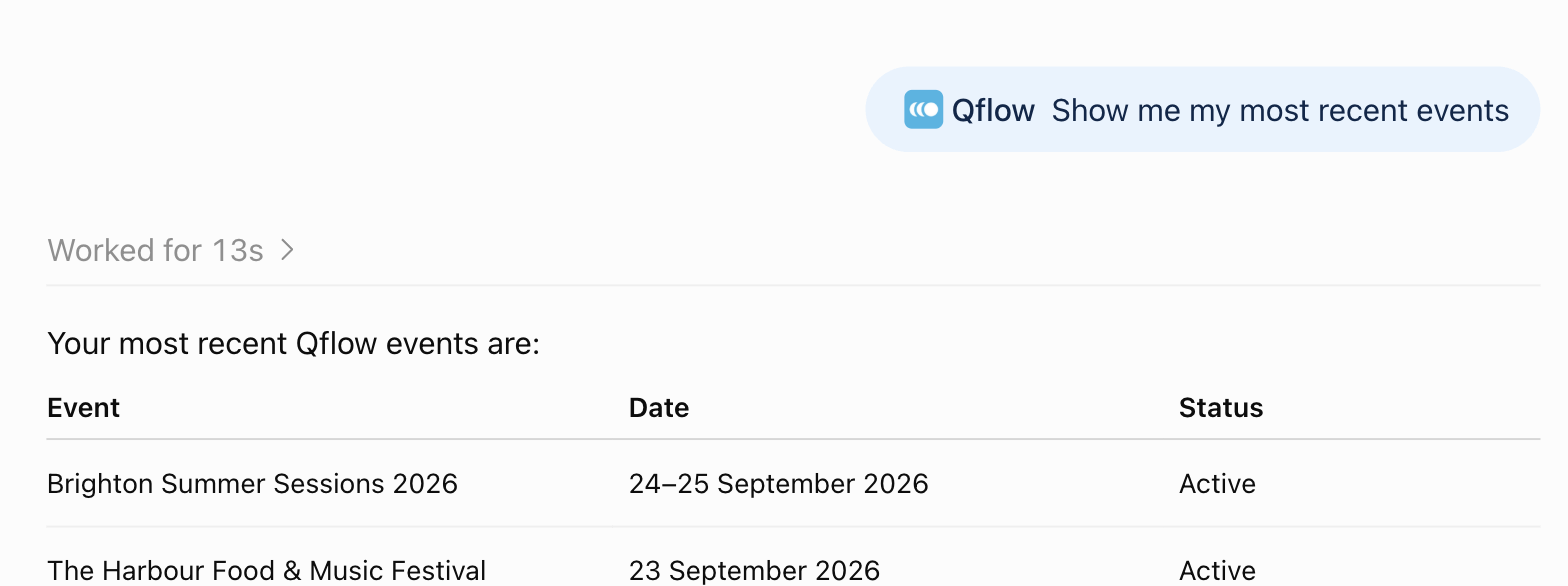
See what's coming up. Ask for your recent events and ChatGPT lists them with dates, times and status.
Show me my most recent events
Get live numbers. Counts, check-in progress and breakdowns come from the attendee search index, so they're fast even on large events. Ask about totals, tags, ticket types or arrival times.
How many guests are on The Harbour Food & Music Festival, and how many have checked in so far? Break it down by ticket type if there is one.
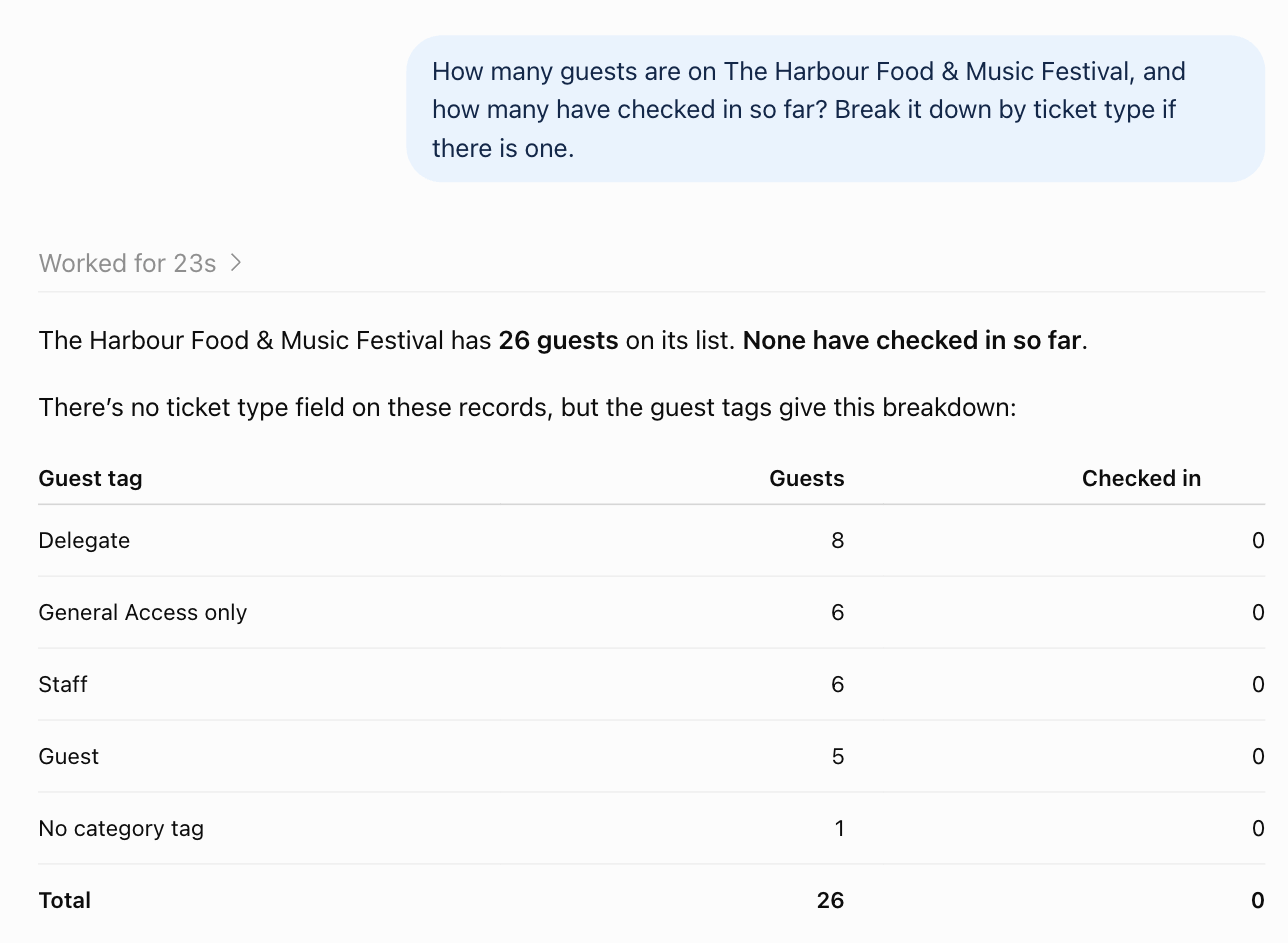
Make changes. Adding guests, creating events, tagging and assigning team members all work from a sentence. Additive changes like adding a guest are applied straight away; ChatGPT checks with you before anything that overwrites or removes data.
Add a guest called Priya Shah with the email priya.shah@example.com to The Harbour Food & Music Festival, tagged Delegate.
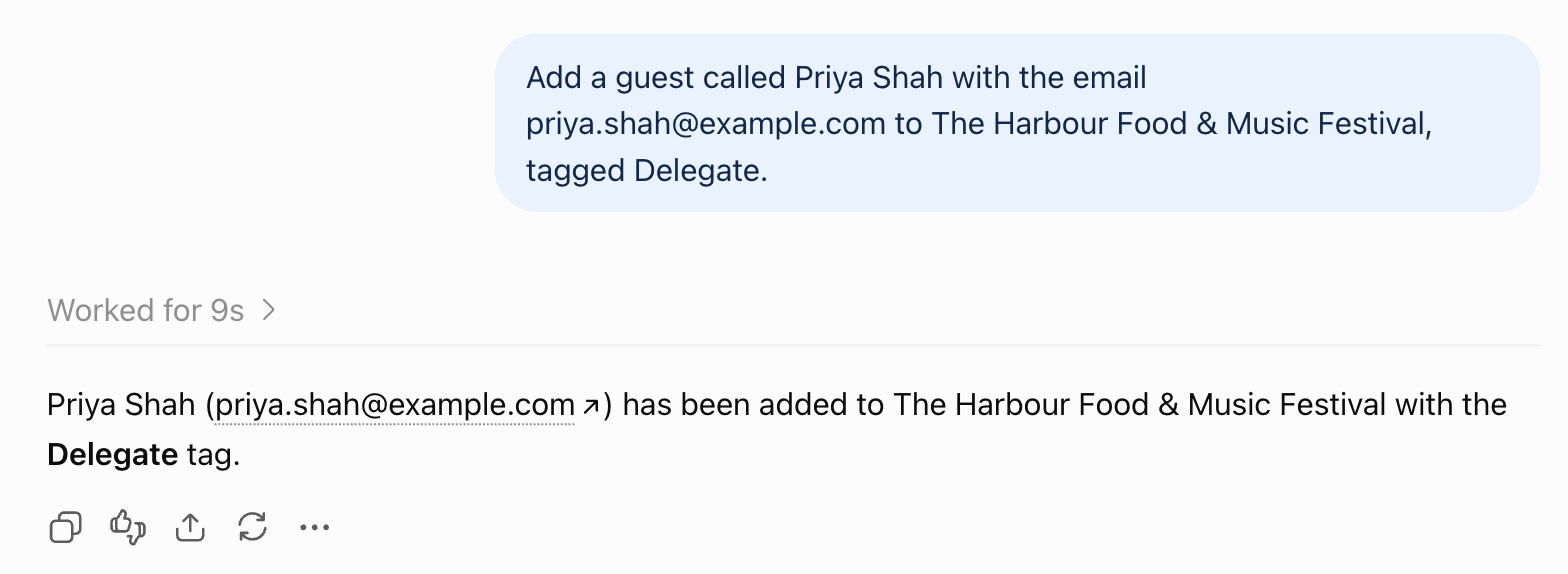
The full list of what ChatGPT can read and change is on the Tools page.
Good to know
- Names are matched loosely. "the Harbour festival" is enough — you don't need the exact event title. If more than one event could match, ChatGPT may ask which one you meant.
- Bulk adds are capped at 200 guests per request. For larger imports use the dashboard's CSV import or the REST API.
- Plan limits still apply. Guests added through ChatGPT count towards your plan exactly as they would on the dashboard.
- Sign-in is remembered. ChatGPT refreshes its access in the background. Every so often it will ask you to sign in to Qflow again; that's expected and takes a few seconds.
Troubleshooting
| Symptom | What to do |
|---|---|
| ChatGPT answers without using Qflow | Make sure the Qflow pill is attached to the message box; pick it from the Plugins menu if not. |
| "Not authorised" or a blank sign-in window | Close the window. In ChatGPT open Plugins → Qflow, click the ⋯ menu and choose Uninstall, then install again. |
| Sign-in loops back to the password page | Check you can sign in to the dashboard at qflowhub.io with the same details, then try again. |
| An event or guest is missing | ChatGPT sees exactly what your Qflow user can see. Ask the event owner to share the event with you on the dashboard. |
| You want to revoke access | In ChatGPT open Plugins → Qflow, click the ⋯ menu and choose Uninstall. |
Tools
The 22 tools the Qflow MCP server exposes — reads and writes across events, guests, team, tags and tallies.
The server exposes 22 tools. Reads are safe to run freely; writes change your data, and agents confirm before anything destructive.
Reading
- getRecentEvents — the 10 most recent events, newest first.
- searchEventsByName — events whose title contains a substring.
- getEventsByDateRange — events fully within a date window.
- getGuest — a single guest by id.
- getGuests — page an event's guest list.
- getGuestsByName — find guests by (prefix-matched) name within an event.
- getGuestsByEmail — exact email match within an event.
- getGuestsByBarcode — barcode lookup within an event.
- getTeamMembers — team members across your events.
- getTalliesByEvent — an event's tallies and current totals.
- getSearchSchema — the attendee search index field schema.
- searchAttendeeIndex — the analytics tool: counts, breakdowns, facets and time-based queries over the attendee index.
Writing
- createEvent / updateEvent — create or update an event.
- createGuest — add a single guest.
- upsertGuests — bulk create-or-update up to 200 guests in one call.
- updateGuest — update a guest's details.
- createTags — create tags for an event.
- createTallies — create door-staff counters (walk-up sales, drink tokens, and so on).
- createTeamMember — create a team-member account.
- assignATeamMember / unassignATeamMember — put a team member on an event, or remove them.
Every call runs against your own account and respects your plan; bulk guest creation counts only new guests against it.